

2026-09-15
How a 3D studio becomes a scene in your browser
Follow the studio from Blender geometry and baked lighting to Three.js and the GPU. A practical account of the models, files, rendering, and interactions behind /studio.
There is a studio you can walk through on my website. Click the floor to move. Drag to look around. Between the desk, lounge, and coffee bar, visitors can open my work and explore the Second Brain.
The useful distinction is when each calculation happens. Blender prepares the geometry and base lighting. Three.js and the GPU keep producing the view that the visitor sees. Building the room and viewing it require different work.
Follow one sofa from its shape to the screen. The baseline explanation and measurements refer to fidelity-styling-20260913, from September 13, 2026. A final section records the September 15 plant and discovery updates with current asset sizes.
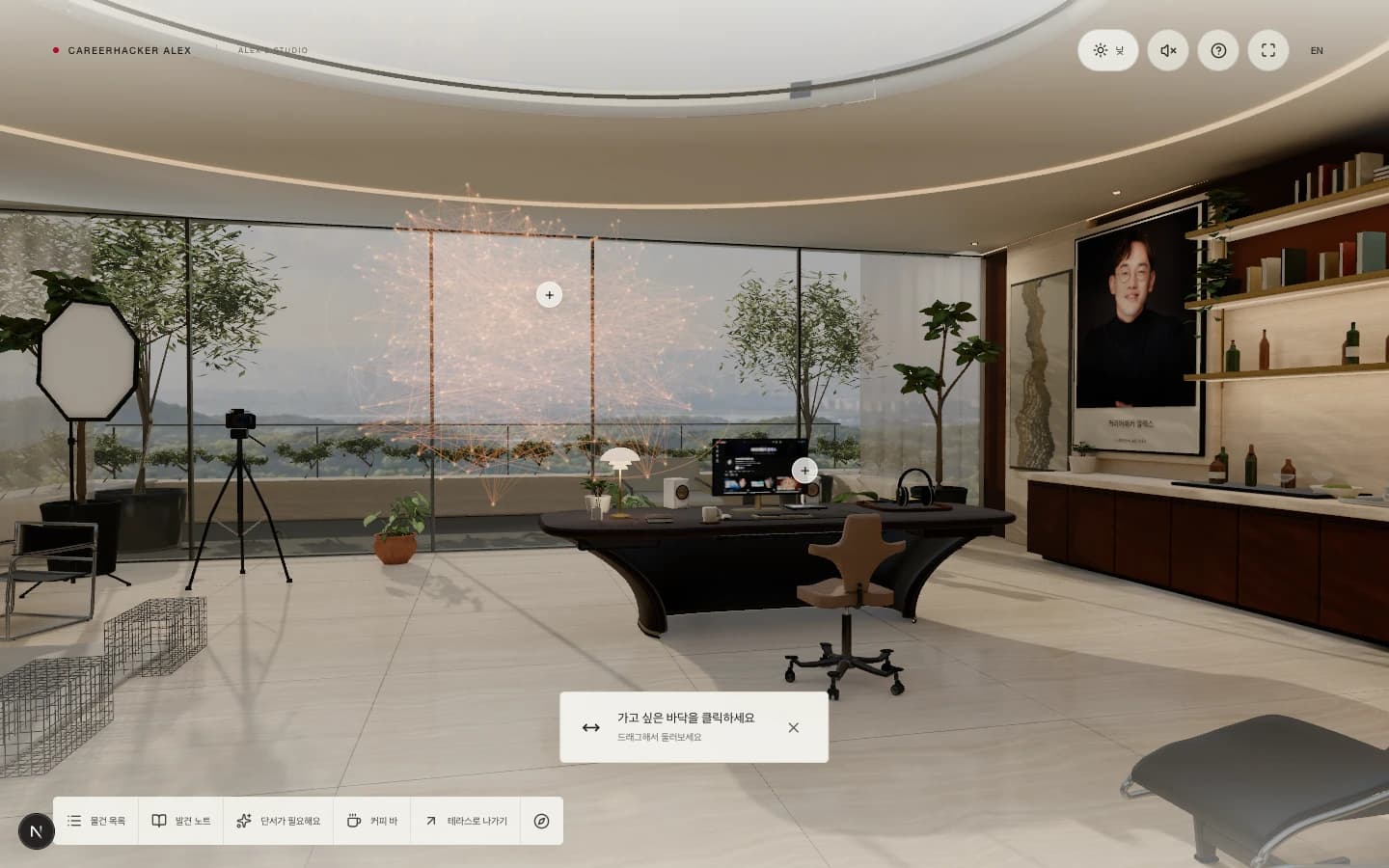
Development browser capture, September 13, 2026. Furniture has 3D geometry. The portrait and monitor carry images. The central graph is created at runtime.
The sofa starts as points and faces
A computer needs the sofa's shape defined explicitly. Vertices specify points in space. Faces connect those points. Together they form a mesh. The GPU renders its surfaces primarily as triangles.
The room and its main furniture were built with bpy, Blender's Python API. A wall starts as a box with dimensions. The curved ceiling joins elliptical cross-sections. Metal legs follow paths with tubular profiles. Bevels soften manufactured edges, while surface normals control how smooth the geometry appears.
The modeling scripts contain code like this. points holds vertex coordinates, faces lists the vertices to connect, and v() converts the project's coordinates to Blender's convention.
data = bpy.data.meshes.new(name)
data.from_pydata([v(p) for p in points], [], faces)
data.update()
ob = bpy.data.objects.new(name, data)
The approved concept images supplied the reference for shape, arrangement, and atmosphere. They were not automatically reconstructed into a navigable room. Dimensions, curves, and placements were authored in code, then compared with browser captures.
Some assets were imported. A later plant pass brought in Poly Haven scans and fitted them to the existing room and pots. Several trees and shelf plants retained their authored geometry. The room combines those approaches.
Materials supply another part of the appearance. Base-color images describe wood grain or a printed photograph. Roughness controls how broadly reflections spread. Metallic values describe the material's metal response. Normal maps represent small changes in surface direction, so fabric can show texture without giving every thread its own geometry.
The room's base lighting is calculated in advance
The underside of a sofa receives less light than the floor by a window. A wall can also receive light after it bounces off another surface. Those relationships need more than a model's outline and color.
Blender's Cycles renderer calculates the room's direct and indirect diffuse lighting. The result is saved to images. This process is baking; the image carrying the lighting is a lightmap.
A lightmap resembles an unfolded surface map. Imagine flattening a box into its six faces. The room's surfaces are arranged into regions of an image, and UV coordinates tell each surface where to sample it.
This differs from a photograph of the room. A photograph records one viewpoint. A lightmap is attached to the surfaces, so it remains usable as the camera moves.
The studio has separate UV coordinates for materials and lighting. Wood grain and illumination do not have to share the same layout. The room uses a 4096×4096 lighting atlas, and foliage uses a 2048×2048 atlas. Each has a day version and a night version.
The bake includes direct and indirect diffuse contributions while excluding the surface's base color. Three.js combines the material with that prepared lighting. The calculations preserve HDR values before the delivery step compresses the images into KTX2 files.
The recorded bake run took about 24.5 minutes. That is a production-time measurement from one run, not a visitor's loading time. Visitors download the saved result. Implementation measurements
Files carry the result into Three.js
The .blend file is the editable source. It retains objects, modifiers, material nodes, lights, and other authoring information. The browser receives an export of the data it needs.
Geometry and materials are packaged in studio.glb, the binary form of glTF. The studio export includes vertices, faces, materials, images, object names, and anchors. Separate KTX2 files carry the lighting.
Blender source
  ├─ Geometry, materials, images → studio.glb
  └─ Cycles bake → day/night lighting KTX2

Three.js loads the files
  → Prepares the scene and GPU data
  → Renders the visitor's current view
The loading step can be summarized in two lines. The full implementation also sets up Draco decoding, KTX2 loading, lightmaps, and error handling.
const model = await loader.loadAsync("studio.glb");
scene.add(model.scene);
There is no translation from Blender's Python scripts to JavaScript. GLTFLoader reads the exported data and constructs Three.js scene objects. Blender does not run while a visitor explores the room. GLTFLoader documentation
The final GLB for the September 13 revision is about 39.2 MB. With its four lightmaps, the files total about 70.4 MB, excluding JavaScript and additional content. Here, MB means bytes divided by 1,000,000.
The GLB contains 13 exported meshes. That is not the number of objects in the room. Many static objects are joined for export, while material groups still require separate drawing work. The room and foliage contain about 1.12 million static triangles. Asset encoding record
Every camera movement produces a new image
Walk beside the sofa and its side becomes visible. Its geometry remains the same, but its position and shape on the screen change. Three.js and the GPU keep calculating that view.
One displayed image is a frame. Producing it involves several steps:
- JavaScript reads input and updates the camera's position and orientation.
- The GPU transforms the 3D vertices into camera coordinates and projects them onto the screen. The vertex shader performs this work.
- Rasterization determines which screen samples the triangles cover. Depth testing lets nearer opaque surfaces hide those behind them.
- The fragment shader samples material textures and lightmaps, then calculates surface color using material properties, reflections, and additional lights.
- Post-processing handles effects such as antialiasing and bloom. Tone mapping and color conversion prepare the final display output.
The fixed vertex data is reused. The browser does not rebuild the sofa or download its model for every frame. It updates the camera and relevant lighting values around the prepared data. The studio's main rendering path uses Three.js's WebGLRenderer and WebGL2.
Changing the camera and calculating indirect lighting have different costs. View-dependent work runs continuously. The room's base diffuse lighting comes from the saved result. This division keeps the scene responsive while retaining the prepared indoor lighting.
Reflections and lamps still respond at runtime
The lightmaps carry the base diffuse illumination. Other effects need to respond to the visitor's viewpoint or actions.
| Element | Current implementation |
|---|---|
| Base room lighting | Reads lightmaps baked in Blender. |
| Day and night | Blends two lighting images with the same UV layout. |
| Environmental reflections | Samples a room cubemap captured once, using the material and viewing direction. |
| Floor reflections | Renders the scene again from a reflected viewpoint. |
| Switchable lamps | Adjusts Three.js lights and reuses static shadow maps created during initialization. |
| Second Brain | Builds graph points and lines from public data, highlighting selections and citations. |
Day and night change by adjusting the blend between prepared lightmaps. Automatic mode follows the visitor's local clock, also adjusting the sky and exterior appearance. It is an authored daily rhythm, not an astronomical calculation of the sun's location.
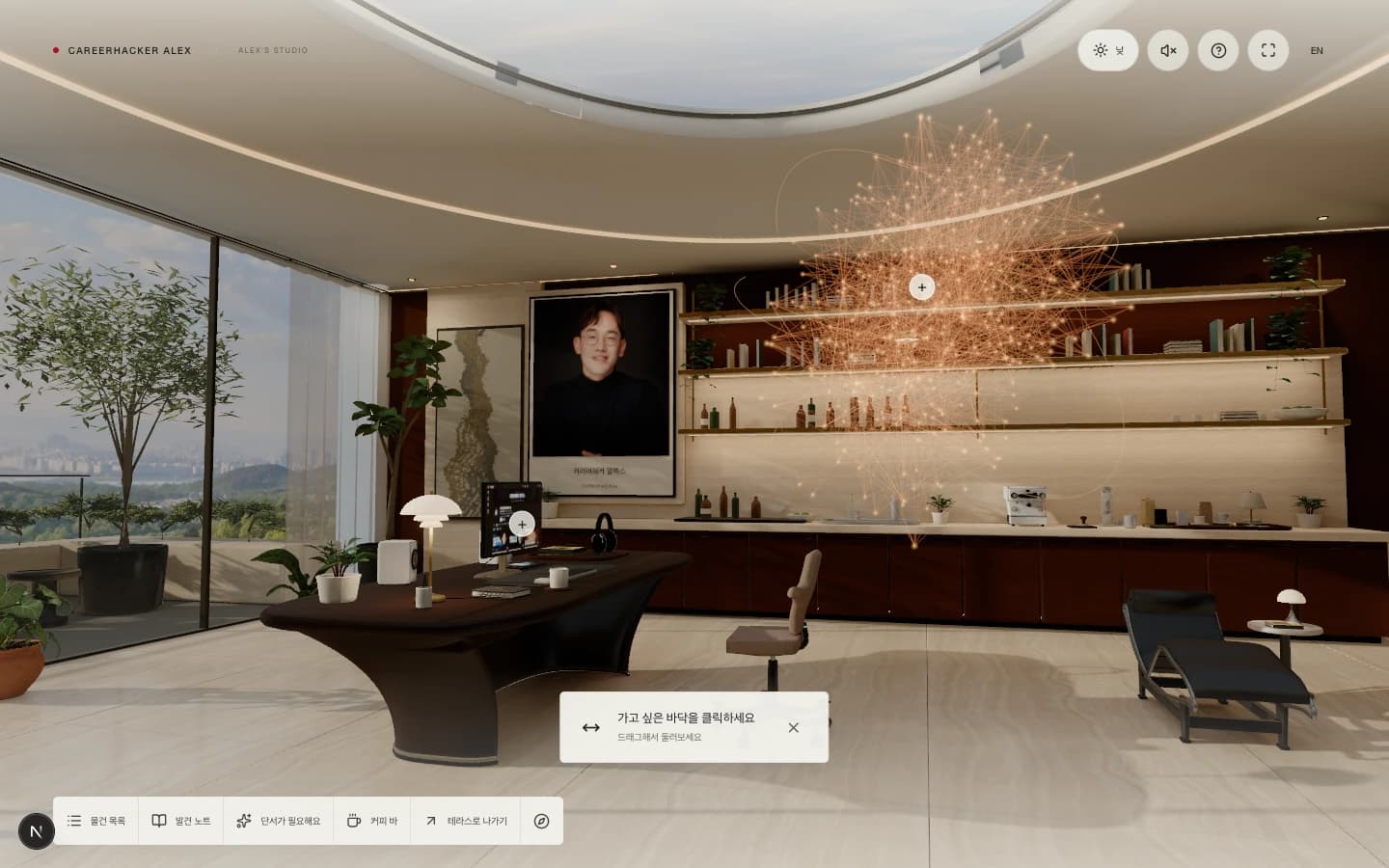
The lounge during the day. Development browser capture, September 13, 2026.
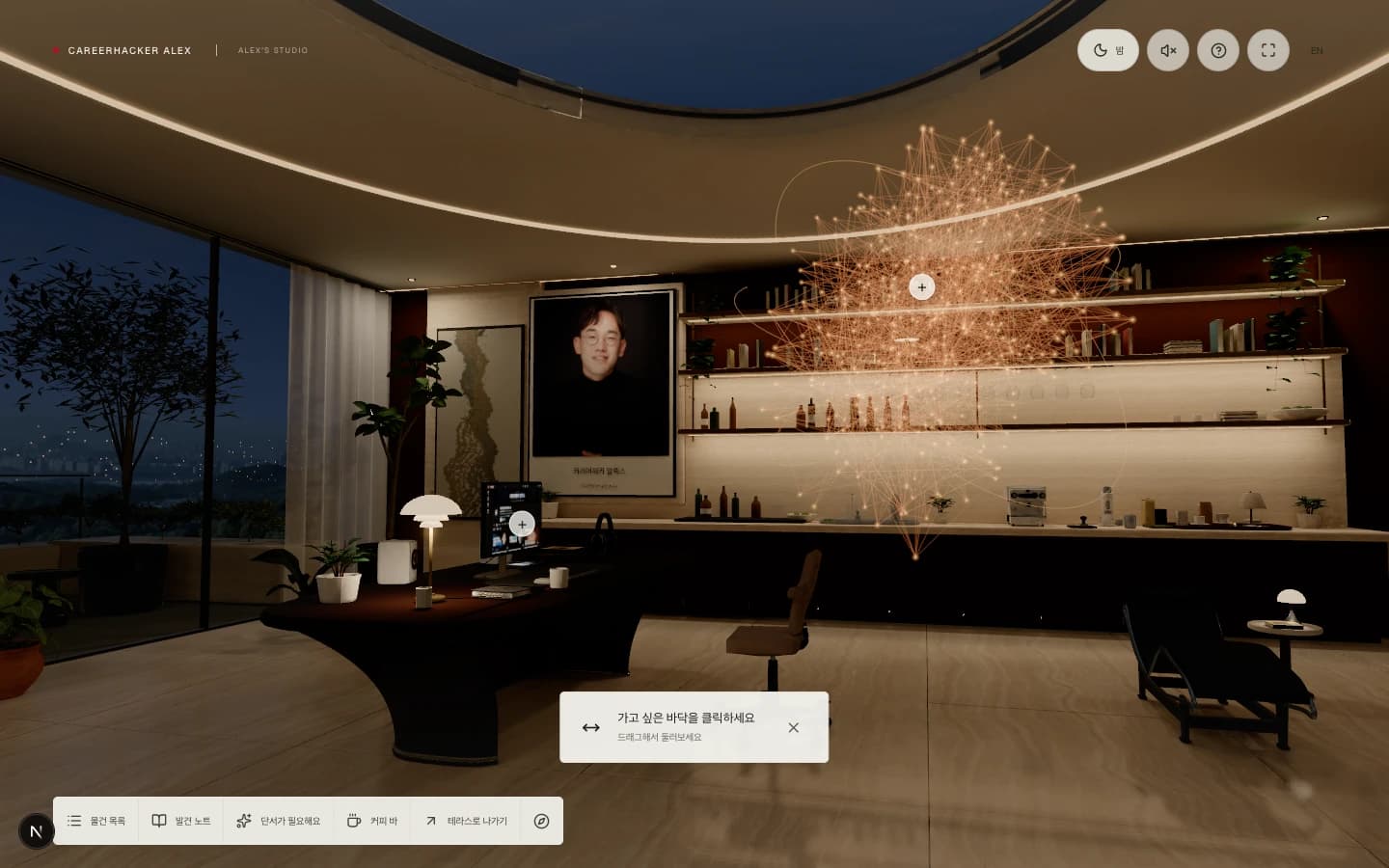
The same lounge at night. Prepared lighting and runtime effects change its appearance without rebuilding the geometry.
Interaction has its own code. Raycasting sends an imaginary ray from the camera through the clicked point and checks what it intersects. Occlusion checks use a BVH, a spatial hierarchy that skips unrelated groups of triangles.
Walking uses rectangular and circular obstacle footprints. When a direct route is blocked, the navigation code searches a grid with 0.3-meter spacing and simplifies the resulting path. React renders the articles, videos, and question panels that open from objects. Discoveries, selected pages, and lighting preferences are saved in the browser's localStorage.
Moving the sofa also changes its saved shadows
Editing reveals the tradeoff. Turning the camera leaves the sofa and the room's lighting arrangement intact. Moving the sofa changes shadows and indirect illumination around it.
The current static furniture is joined during export. Changing its shape or placement means editing the Blender source, rebaking affected lighting, and exporting the result. Navigation footprints and interaction anchors need checking too. Movement obstacles are authored separately; moving a model does not automatically update them.
Monitor content, article text, movement speed, and the timing of the day/night transition can be changed in web code. Changes that leave geometry and the prepared lighting intact do not need a new bake.
The same division explains why a Blender render and a browser capture can look different. Cycles spends time tracing light. The browser combines prepared illumination with runtime approximations. Texture resolution, compression, glass treatment, reflections, color space, and tone mapping all affect the result.
Exporting the model was followed by browser review. The implementation separates foliage from the room's lighting atlas, improves atlas boundaries, warms up shaders, and adjusts render resolution and effects to the device's observed speed. The delivered assets are still large. This is not a verified 60 fps result on every device.
For a 3D web experience, decide what visitors should be able to change before choosing the rendering strategy. Exploring a fixed interior and freely rearranging its furniture require different geometry, lighting, and collision systems. The interaction model determines which calculations can be prepared in advance.
The September 15 update grounds the plants and quiets discovery
Some gallery foliage appeared detached from its pot. The imported scan variants retained their library display offsets during rotation and scaling, and the pot lookup missed one ceramic material. Placement now uses the plant root and pot footprint. Eight plant groups were rebuilt with the corrected importer.
The gallery pair became an original almond tree and Monstera. The almond has 270 small leaves and tapered branches. The Monstera's splits and holes are geometry. Stems, soil, pots, and floor contact were checked before rebaking day and night lighting. That bake took about 25.6 minutes.
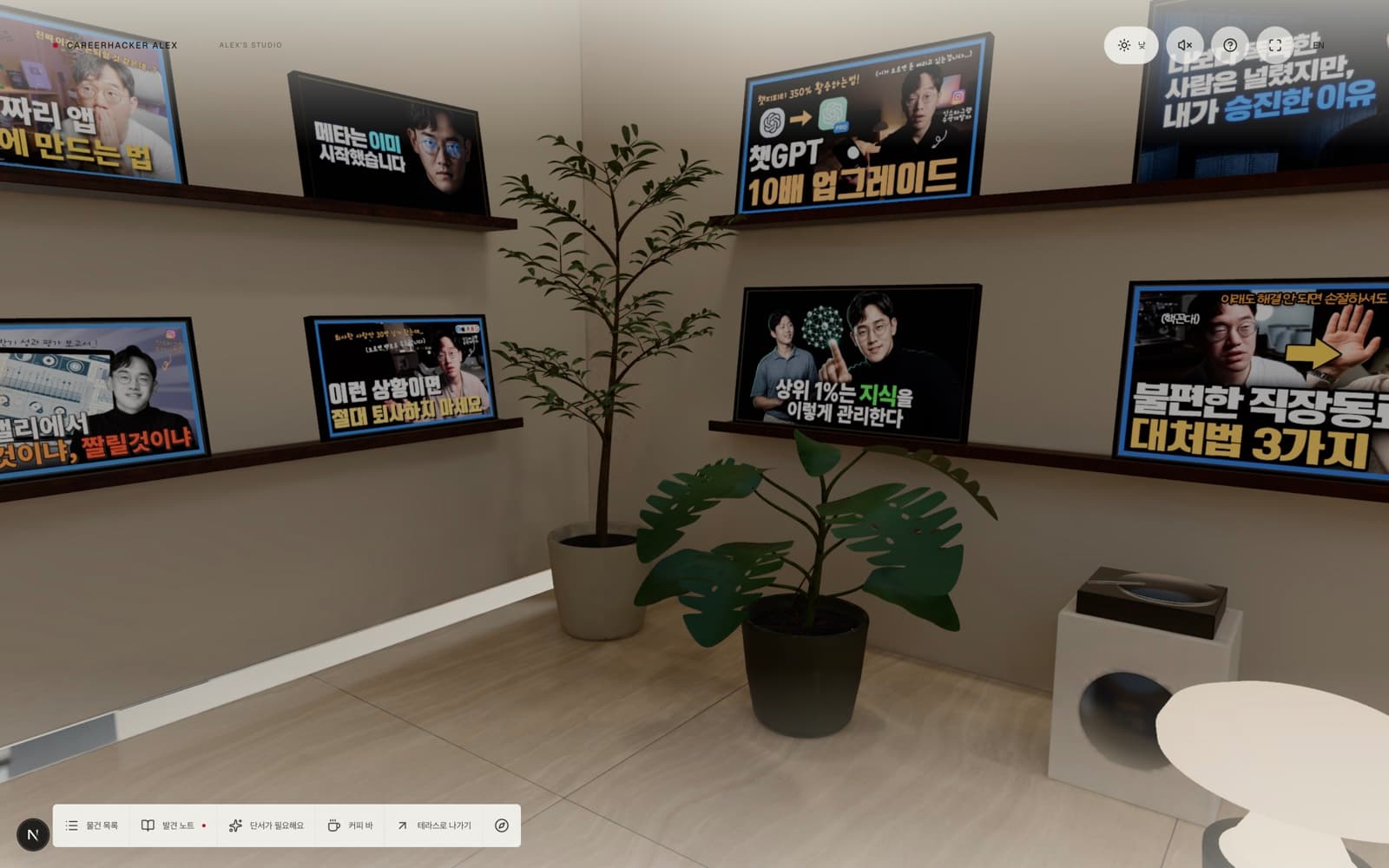
Encoded model in the development browser, September 15, 2026.
Floating + markers were removed. Staying briefly near a visible object reveals one small invitation in the upper-right corner. It leaves the camera and focus alone. Content opens when the visitor chooses it, and dismissal keeps the area quiet until they leave.
The current model is 40.08 MB. With all four day/night lighting files, the main asset set is 71.39 MB. The model and daytime maps that gate entry total about 55.86 MB. The next work is to measure loading stages and separate the assets needed at the entrance. Nighttime environment reflections, close-view materials, and portrait-screen interaction need controlled comparisons too. WebGPU remains an experiment until matching the production features demonstrates a benefit.
The current asset revision is botanical-refinement-20260915. The September 13 images and measurements above describe the earlier build. The current implementation guide and quality roadmap record rebuild steps and remaining validation.
Implementation and references
- Explore the studio.
- Implementation measurements and provenance, based on the September 13 assets and a September 15 code inspection.
- Delivered asset encoding record.
- Three.js GLTFLoader, covering model and compressed-data loading.
- Blender Cycles Render Baking, covering the preparation of surface lighting images.